Free · Windows 10/11 (64-bit) · Built on FFmpeg

Hit an exact file size.
Every time.

Most compressors make you guess at quality settings and hope. Portable Video Compressor works backwards from your size ceiling: it produces a file that always comes in at or under your limit, without sending your footage anywhere.

Aim for a hard size target No account, no upload Version 1.0
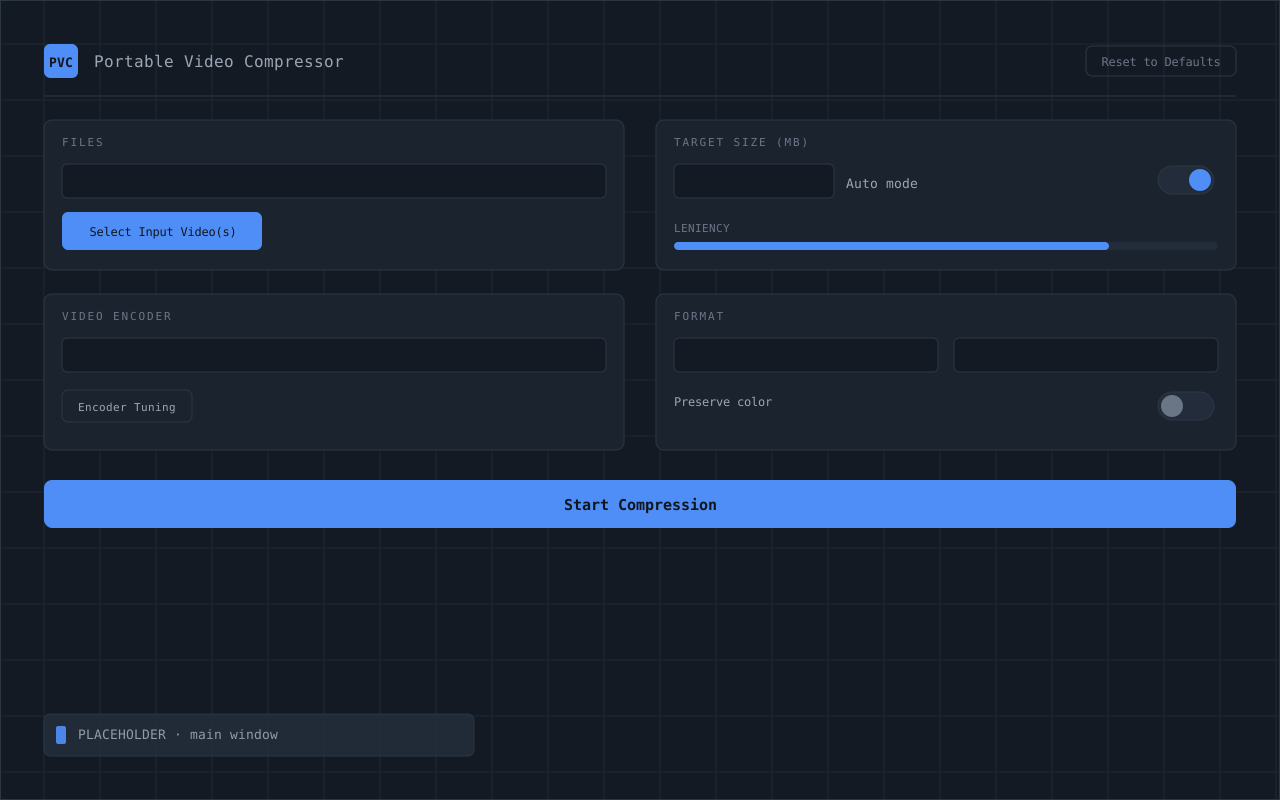
The Portable Video Compressor main window: choose input videos, set a target size in MB, pick a video encoder, resolution and frame rate, then start compression.

Real app · colors follow your Windows accent & light/dark theme

Any size
Type your MB ceiling and PVC always produces a file at or under that size. No guessing at quality settings, no hard-coded presets.
~90%
Typical first-estimate accuracy. Set the leniency from loose to tight and PVC retries until the output lands in your chosen range.
$0
Free for personal and internal use. No subscription, no watermark, no upload to a stranger's server.
What it does

Built for one stubborn problem: a specific size.

Plenty of tools shrink video. Very few let you aim for an exact target. PVC is designed around that one job and does it without sending your files anywhere.

Target-size first

Type your MB ceiling. PVC works backwards from there to produce a file that always comes in at or under your limit, instead of leaving you to guess at quality sliders.

Auto mode

For quick turnarounds: drop a file, set a size, hit compress. Sensible resolution, frame rate, and audio are chosen for you. No settings to learn.

Advanced tuning

Power users get the dials: resolution, frame rate, codec, encoder presets, and a leniency slider that controls how tightly the output must land on the target size.

Hardware & CPU encoders

NVENC and AMF for GPU-accelerated speed, or libx264 / libx265 on the CPU. AVC and HEVC each get their own correct tuning profile.

Adjustable leniency

A leniency slider (50% to 95%) controls how close to the ceiling the output lands from below. At 95%, it lands within 5% under your target. PVC only exceeds the target if it is technically unavoidable.

Portable & private

A real desktop app, not a website. Everything runs locally. There's even a portable build that lives on a USB drive and leaves no install behind.

Two ways to drive it

Quick when you're in a hurry. Deep when you're not.

The same target-size engine sits behind both modes. Pick the one that matches how much control you want today.

For everyone

Auto mode

Three steps and you're done. PVC reads the source, picks a safe resolution and frame rate for your target, and balances the audio so it doesn't come out garbled.

  • Drop a video, type a size in MB
  • Sensible defaults chosen automatically
  • One click, and it stays under your limit
For power users

Advanced mode

Open the panel and take the wheel. Every knob that affects size and quality is exposed, with encoder presets for whatever hardware you happen to have.

  • Resolution, frame rate & leniency
  • NVENC, AMF, or CPU (x264 / x265)
  • Separate AVC & HEVC tuning profiles
A look inside

The whole app, no surprises.

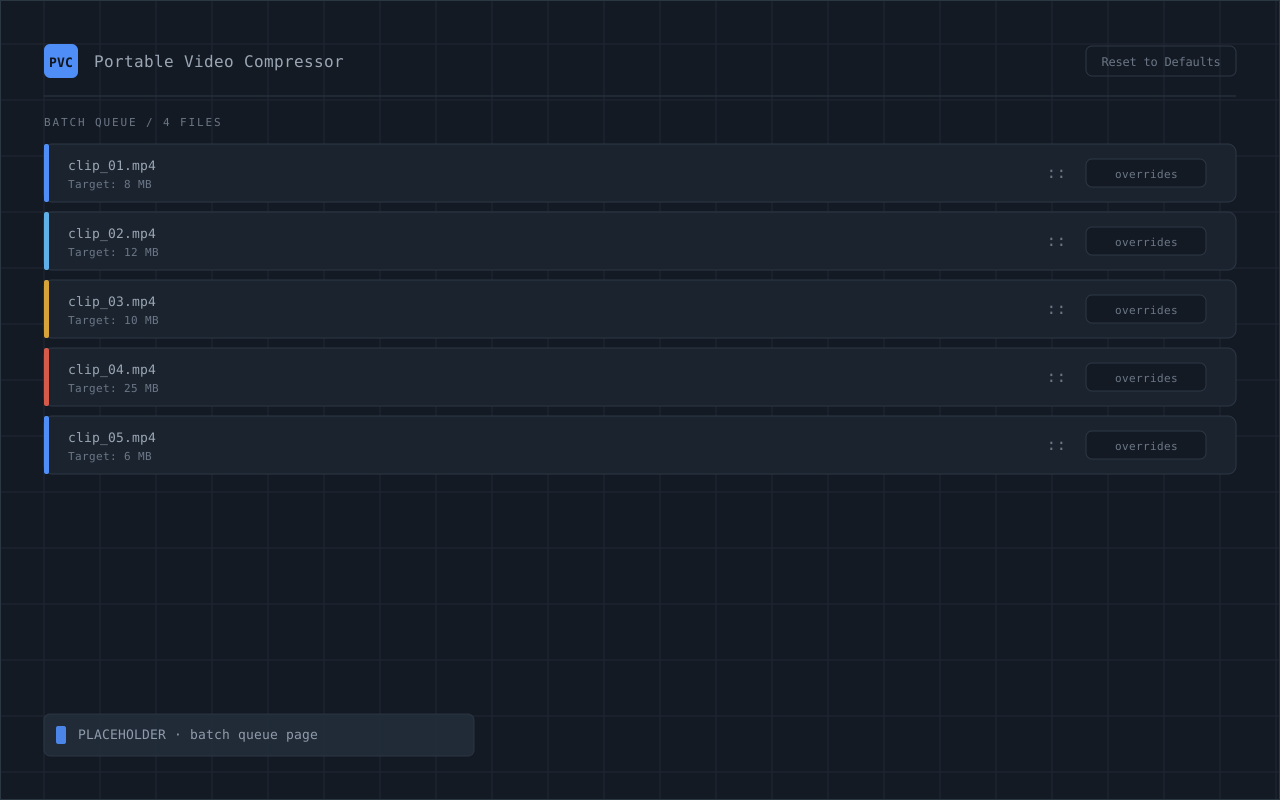
Every screen, exactly as it ships. PVC adopts your Windows accent color and light/dark setting, so it always looks at home on your desktop.

01 · Origin

Built to fill a gap

Most compressors optimize for quality presets rather than a specific output size. The few that targeted an exact file size were either unreliable or kept essential controls behind a paywall. Portable Video Compressor began as a direct answer to that gap.

02 · Proof of concept

A single-purpose script

The first version was a minimal batch script, hard-locked to 10 MB at 720p and 24 fps with whatever audio bitrate remained. Crude and often inconsistent, but it proved the core premise: working backward from a size target was viable.

03 · The hard part

Hitting the number

Reliably landing on a chosen size turned out to be the real engineering problem. Early builds routinely under- or overshot, occasionally getting worse across as many as nine retries. Successive rewrites of the sizing model lifted first-pass accuracy from roughly 80% to around 90%.

04 · The interface

A ground-up rebuild

As features grew, the UI outgrew its layout. It was restructured around a cleaner, denser design that adopts the user's Windows accent color and light or dark theme. After a toolchain update destabilized the project, it was rebuilt from scratch.

05 · Encoders

Broad hardware support

PVC supports NVENC, AMF, and CPU-based x264 and x265, with separate tuning profiles for AVC and HEVC. Hardware access was a real constraint during development; AMF, for instance, was validated on integrated AMD graphics rather than a discrete GPU.

06 · Release

Documented and shipped

Version 1.0 ships with a README, a User's Guide, and a Technical Specification, alongside an installer and a portable build. What started as a one-line script is now a complete, freely available Windows application.

Get it

Download Portable Video Compressor 1.0

Everything ships free. The installer is the easy path; the portable build is for running off an external drive. Source and docs are right here too.

Recommended

Windows Installer

The standard setup. Installs PVC with its documentation and gets you compressing in a couple of clicks.

· Windows 10/11 (64-bit) · .NET MAUI + FFmpeg · PVC_Setup_1.0.exe

Portable build

.zip · runs from a USB drive

Visual Studio source

.zip · view & tinker locally

Coming soon

Version 2.0 is on the way.

v1.0 is stable and shipping today. The next release is in the works. Check back, or grab v1.0 now and you're already set up for the upgrade.

2.0